Don't Just Install Claude CoWork or OpenClaw
Don’t Just Install Claude CoWork or OpenClaw
Both have significant security vulnerabilities. Take this quiz to learn more!
(Claude helped me write the quiz. But I checked the quiz logic, it should be even!)
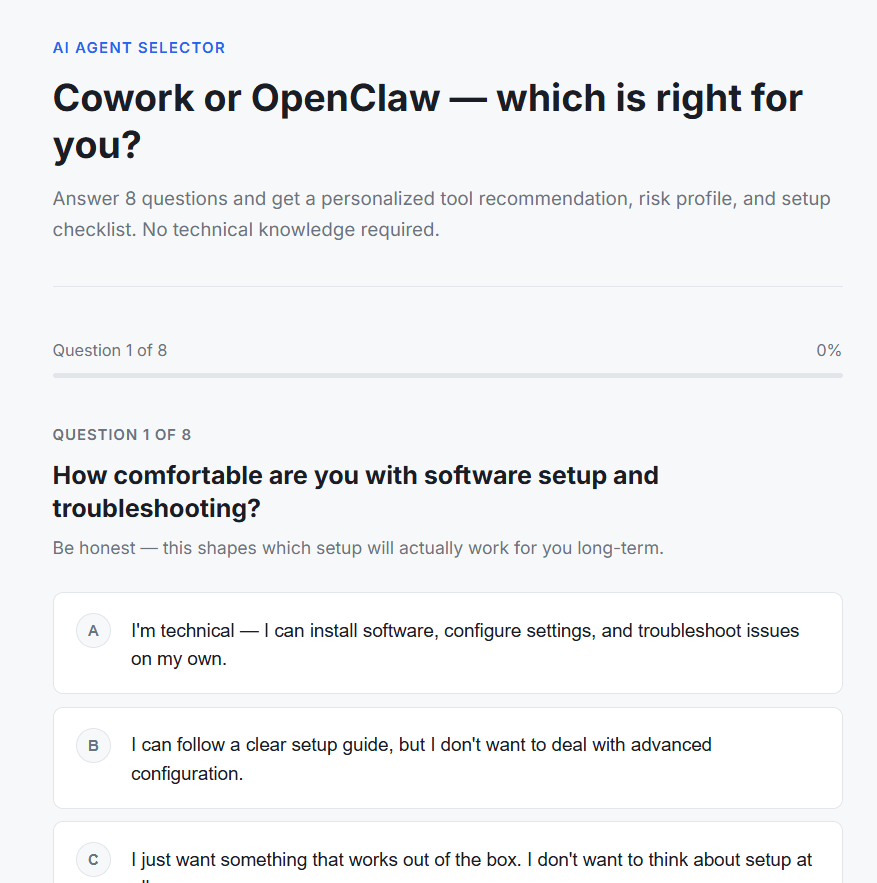
And even tho I favor Openclaw, if you’re half a nerd like me and inclined to let Claude tell you how to install it, it’s more than you think, if you want to keep it safe.
Don’t close your eyes when you hear 1-click installation. Cuz I’m on Digital Ocean but it’s more like 100 clicks PLUS the security considerations like where you put your API keys, and whether you use Docker (NOT THE BEST OPTION)…
Claude Cowork and OpenClaw sit on the same spectrum: powerful, agentic tools with big security upside in productivity and equally big downside if something goes wrong. The differences are in where they run, who controls the surface area, and how much responsibility falls on the user.
Claude Cowork: vendor‑managed power, vendor‑anchored risk
Claude Cowork is Anthropic’s desktop agent that can read and edit files, run code, browse, and operate across your system. Its “brain” always runs in Anthropic’s cloud; your prompts, plans, and context are sent to their servers for each step. The local side is a sandboxed environment that executes the actions Cowork decides on.
Security concerns center on two things. First, Cowork has already been shown to exfiltrate local files when exposed to malicious content (classic prompt‑injection: a file or page that tells the agent to upload or leak data). In practice, that means anything in its visible workspace can, under the wrong conditions, be shipped off‑box without you explicitly intending it. Second, because all reasoning goes through Anthropic, you must trust both their infrastructure and their patch cadence; you cannot self‑host or run it purely offline, so there’s no way to remove vendor risk entirely.
Where Cowork is safer is that the environment, tools, and update pipeline are curated and centrally managed. Non‑technical users don’t have to think about patching, hardening gateways, or auditing plugins. If you constrain it to a “fresh” user account or VM with only work files you purposefully place there, you can meaningfully reduce blast radius. But by design, Cowork encourages broad access to your day‑to‑day environment, which is exactly what increases the impact of any exploit or prompt‑injection path.
OpenClaw: user‑controlled surface, user‑owned risk
OpenClaw is an open‑source personal agent framework that you run yourself. It can call cloud models or local models, orchestrate long‑running tasks, browse, run shell commands, and plug into a wide skill ecosystem. Its state, memory, and configuration live on your own machine or server, and you decide what it can see by mounting directories and wiring skills.
The upside is control. You can:
Keep all long‑term state and config local.
Run it in a container/VM with very tight filesystem mounts.
Point it to local models only, if you want zero external calls.
The downside is that you inherit all the security engineering. Misconfigured gateways exposed to the internet, weak authentication, or broad mounts create a huge attack surface. Malicious or sloppy community skills can silently exfiltrate data, steal tokens, or provide remote code execution. Vulnerabilities and CVEs in the core or in skills matter more because there’s no vendor watching over your particular deployment; if you don’t patch or you install random extensions, you’ve effectively installed a programmable backdoor into your own environment.
A carefully hardened OpenClaw setup—non‑privileged container, limited mounts to a single “workspace” folder, no public exposure, minimal audited skills, possibly local‑only models—can have a smaller practical blast radius than Cowork on a user’s main desktop. But that safety is emergent from your design and discipline, not the defaults.
The “fresh workspace” dimension
A critical lever for both tools is whether the agent sees your historical files or only new, curated ones. If you start with a clean account or dedicated workspace, and only ever feed it specific files for each task, you dramatically reduce what can be exfiltrated or corrupted. In that model:
Cowork becomes less frightening because even if a prompt‑injection hits, the agent can only leak what’s in that limited workspace, not your entire digital life.
OpenClaw’s risks are mostly confined to that mounted directory and the services you explicitly integrate, not your whole home directory or server.
Once you let either tool roam freely across your existing filesystem and accounts, the worst‑case scenarios become much more severe.
How to think about “which is worse”
For non‑technical users with broad desktop access and lots of untrusted content, Cowork’s vendor‑managed experience hides complexity but also concentrates risk: a single prompt‑injection or design flaw can expose large swaths of their environment, and they have no way to self‑host or turn off cloud involvement. For technical users willing to sandbox, patch, and curate skills, a hardened OpenClaw deployment can be more privacy‑preserving and more bounded, but it’s easy to get dangerously wrong.
In short: Cowork’s risks are tied to vendor trust plus broad local access by default; OpenClaw’s risks are tied to user configuration, exposed surfaces, and an uncurated ecosystem. Both can be made safer with a fresh, limited workspace; both become genuinely hazardous when given wide, unsupervised control over a real machine and data.
Now…
Here are focused, practical hardening tips for running Cowork on a workstation and OpenClaw on a DigitalOcean Droplet.
Claude Cowork: safer usage tips
Even though Cowork itself isn’t run on DigitalOcean, you can treat these as “endpoint hardening” rules for any machine she uses.
Use a dedicated workspace
Give Cowork access only to a specific “Claude_Workspace” or project folder, never your whole Documents or Desktop.
Keep credentials, financial docs, and API keys strictly outside any folder Cowork can see.
Start with low‑risk data
Begin with non‑sensitive reports, drafts, and sample data to validate behavior before pointing it at anything live.
Minimize exposed files and revoke access
Regularly audit which folders Cowork can see and remove permissions when a project is done.
Treat “what folders Cowork can access” as part of your security surface, not a convenience toggle.
Be picky about input sources
Avoid letting Cowork open arbitrary files from unknown emails or random downloads; prompt‑injection risks live there.
Prefer trusted docs and URLs when asking it to browse or analyze external content.
Require explicit plans for bulk actions
Before any bulk rename/edit/delete, have it summarize exactly which files it will touch and what the impact is, then confirm.
Keep system backups
Maintain Time Machine / cloud / version‑control backups so any Cowork‑driven mistake (or exploit) is recoverable.
OpenClaw on DigitalOcean: safer cloud deployment tips
These assume you’re running OpenClaw on a Droplet or via the 1‑Click app.
Prefer the hardened 1‑Click image
Use DigitalOcean’s OpenClaw 1‑Click deploy, which comes with TLS, reverse proxy, non‑root user, firewall rules, and container isolation preconfigured.
Only fall back to a bare Droplet if you know how to harden Linux and network services yourself.
Never expose the gateway directly
Do not open the OpenClaw gateway port to the public internet.
Put it behind HTTPS reverse proxy + firewall, and access it via VPN or Tailscale, not by wide‑open IP.
Lock down filesystem and credentials
Run OpenClaw inside a container with a read‑only or minimal workspace mount, not the whole filesystem.
Restrict permissions on config and credential dirs (chmod 700 ~/.openclaw and 600 for key files) so only the OpenClaw user can read them.
Disable high‑risk tools by default
Turn off shell, SSH, Docker, and arbitrary filesystem tools unless you have a specific, justified use case.
Create separate agents: e.g., one for file/report work (no shell, limited internet), another for dev tasks (shell allowlist, no credentials).
Strict skill hygiene
Install only skills whose source you’ve read and vetted; avoid random ClawHub extensions.
Periodically audit and remove unused or suspicious skills; log and review tool invocations.
Network and account isolation
Use burner or low‑scope cloud accounts (Google, Slack, etc.) with minimal OAuth scopes.
Segment the Droplet in its own VPC/VLAN; don’t let it sit on the same flat network as more sensitive systems.
Patching and monitoring
Keep the Droplet OS, OpenClaw version, and dependencies updated; several serious OpenClaw CVEs have been disclosed and fixed.
Set up basic monitoring: logs for commands/tools used, alerts on config changes, and regular security checks.
Go forth and be safe.
Subscribe now
Share
Leave a comment